Home Transit Display
October 2026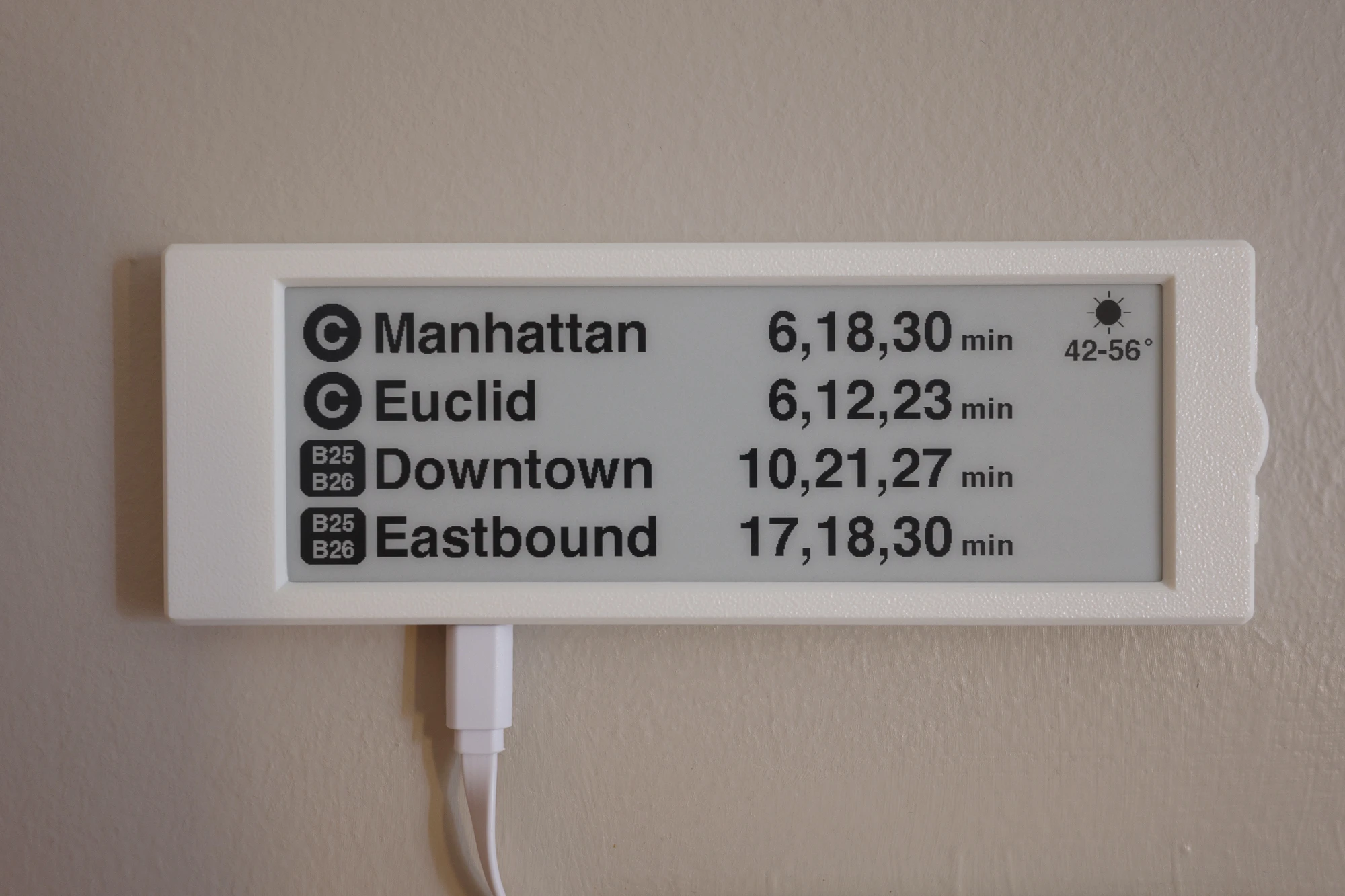
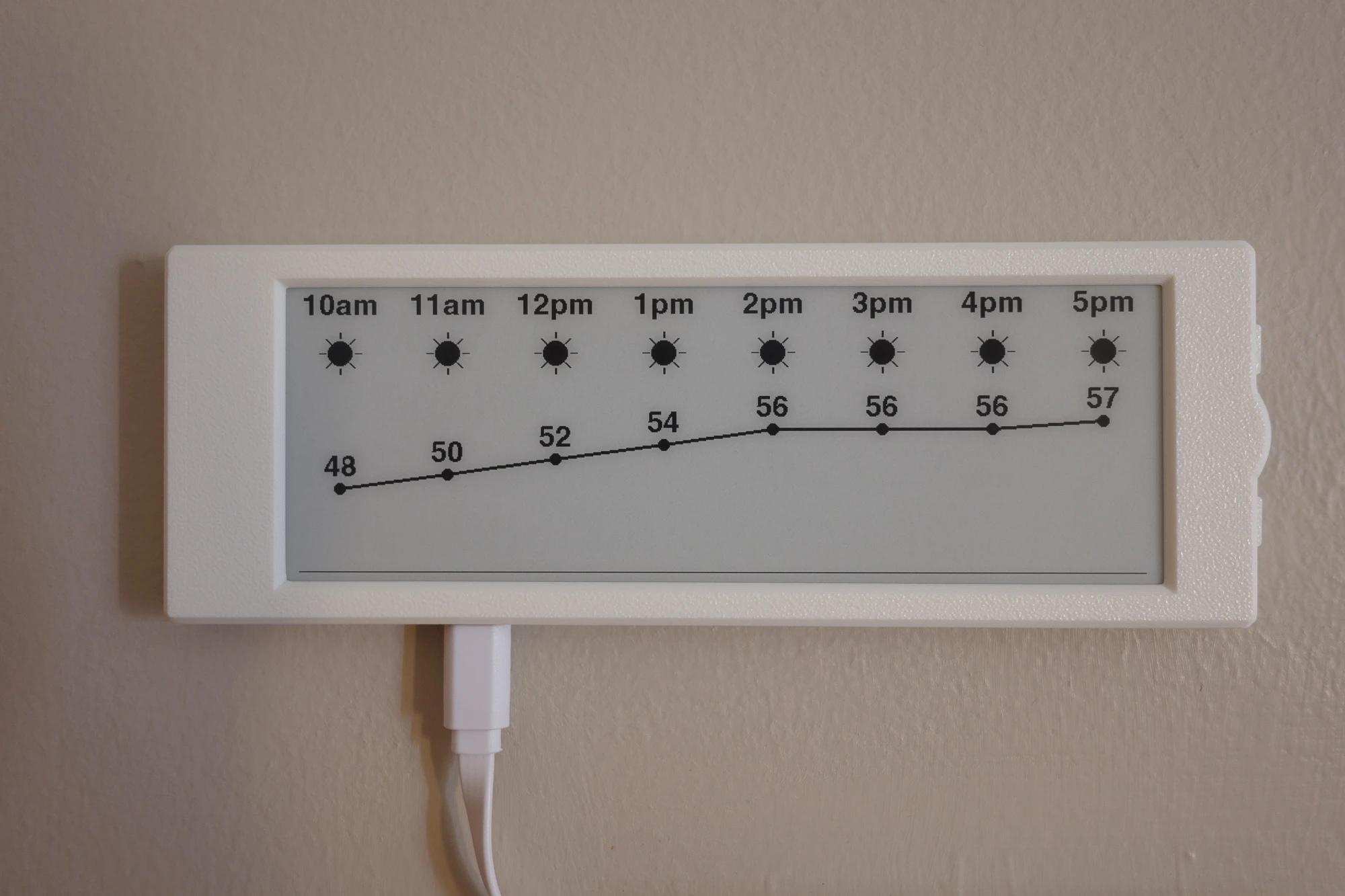
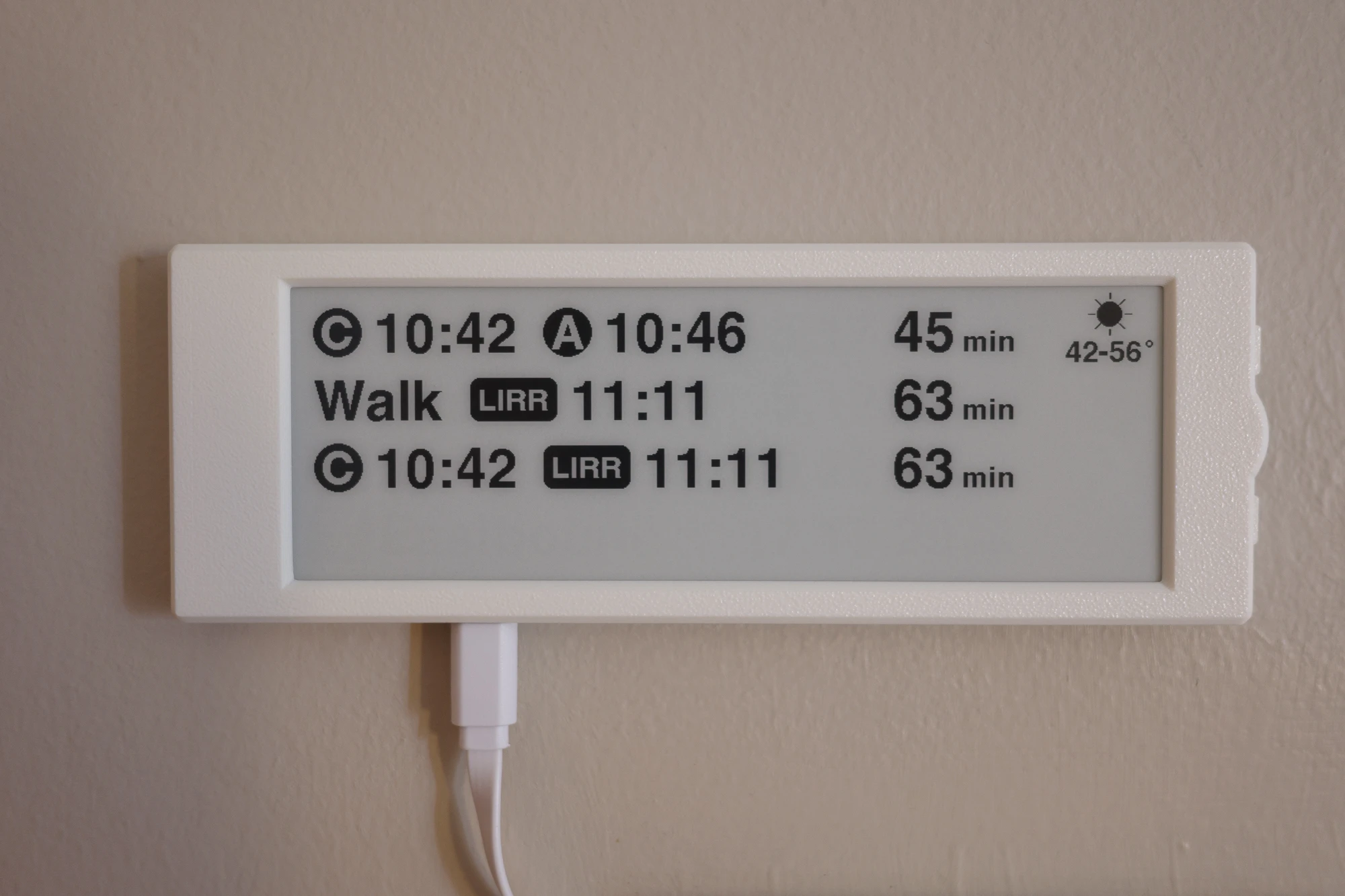
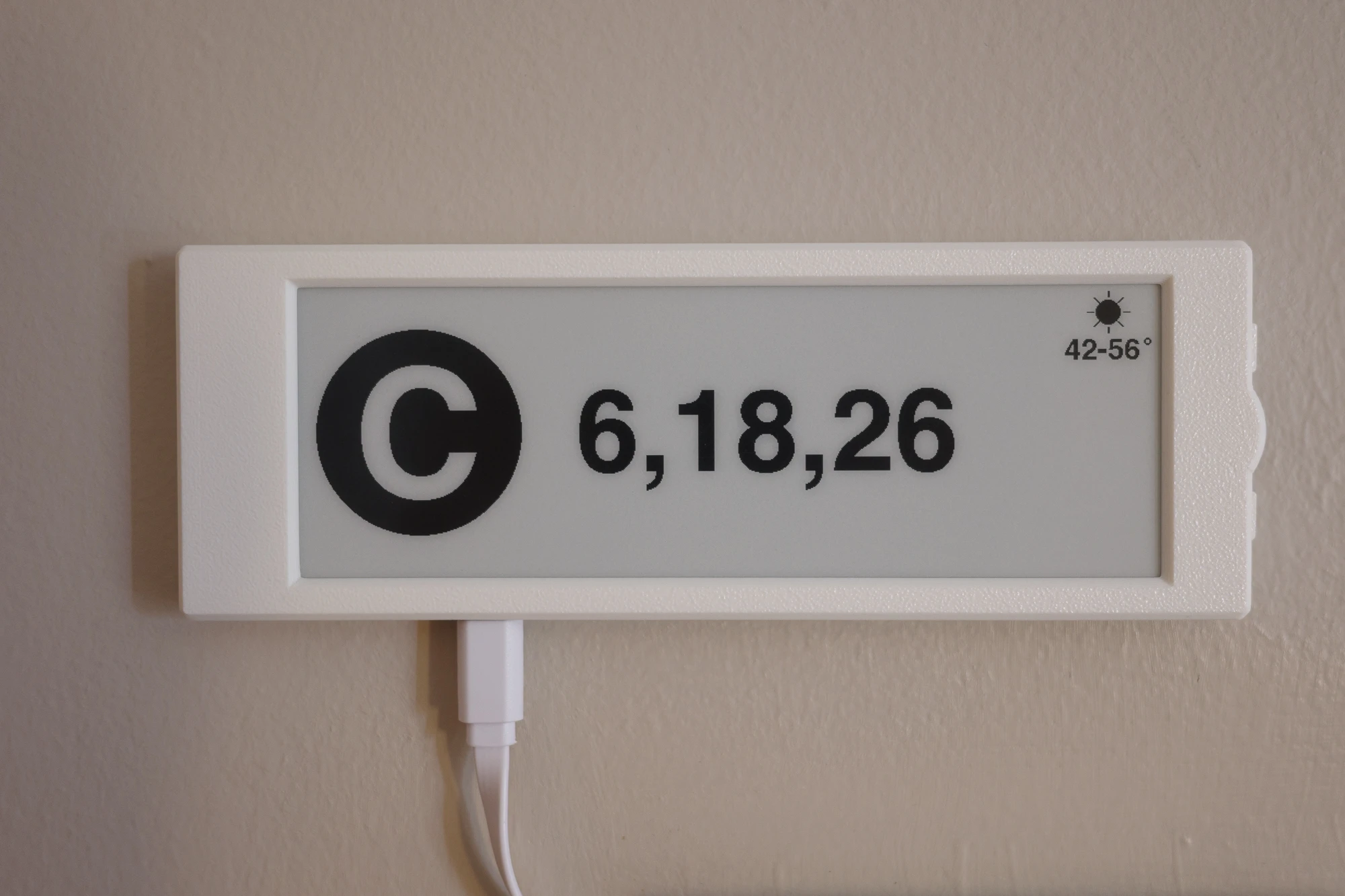
I programmed an eInk display to show when the next trains and buses are coming to the stops nearest me. Now I know whether to leave now or wait for the next train, whether I have time to grab a coffee on my way to work, whether the C train is horribly delayed after the next one and so I’d better not miss it, etc.
This display (which now lives next to my front door) is so useful that I was using it to time my commute from the moment it started displaying train times, while it was still sitting on my desk.
Over time I’ve added features like weather conditions and rain indicators, “commute mode” (activates on weekday mornings and shows the next train to work in a large font so I can read it from across the room), and “flight mode” (which shows various ways to get to JFK with live estimates of how long each will take).
Here’s everything you need to make your own:
The code includes hooks for receiving weather reports and alerts from Home Assistant over MQTT, but the display will run just fine as a standalone device too.
Background
The C train is one of the least reliable train lines in New York, and it runs every 10-15 minutes on a good day. I only live a 2 minute walk from the nearest station, so I’d rather leave the house about 5 minutes before the next train, but I don’t want to pull out my phone and open an app just to see when I should leave.
I also wanted something that would fade into the background when I didn’t need it, so I chose eInk over the bright and colorful LED signs that are on the market.
Workflow
I wrote all the code for this project with Claude. I maintain a persistent Claude Code agent on the Raspberry Pi that runs my Home Assistant instance. This agent maintains the repo for the eInk display and OTA flashes the changes straight to the display. Ever since moving to this workflow, the display has never been bricked by a bad OTA. And I’ve specified all the followup features (weather display, commute mode, flight mode) with fairly vague natural language instructions.
This was my first experience vibing an embedded device and I’m totally blown away by Claude’s performance. For a project like this (no safety or real-time considerations, no certifications, low cost hardware, no power consumption or compute constraints - and honestly, this describes a lot of embedded projects), I see no need to read or write the code myself ever again.
There is something lost from this way of working. I don’t take as much pride in this project as I would have if I’d written the code myself. But the project got done much faster this way, which means I got to experience the joy of having the thing much sooner. And I got to spend my free time designing a nice case (AI didn’t do that, though maybe it could now) instead of writing code. For me, for now, I’m okay with this trade.